Plan
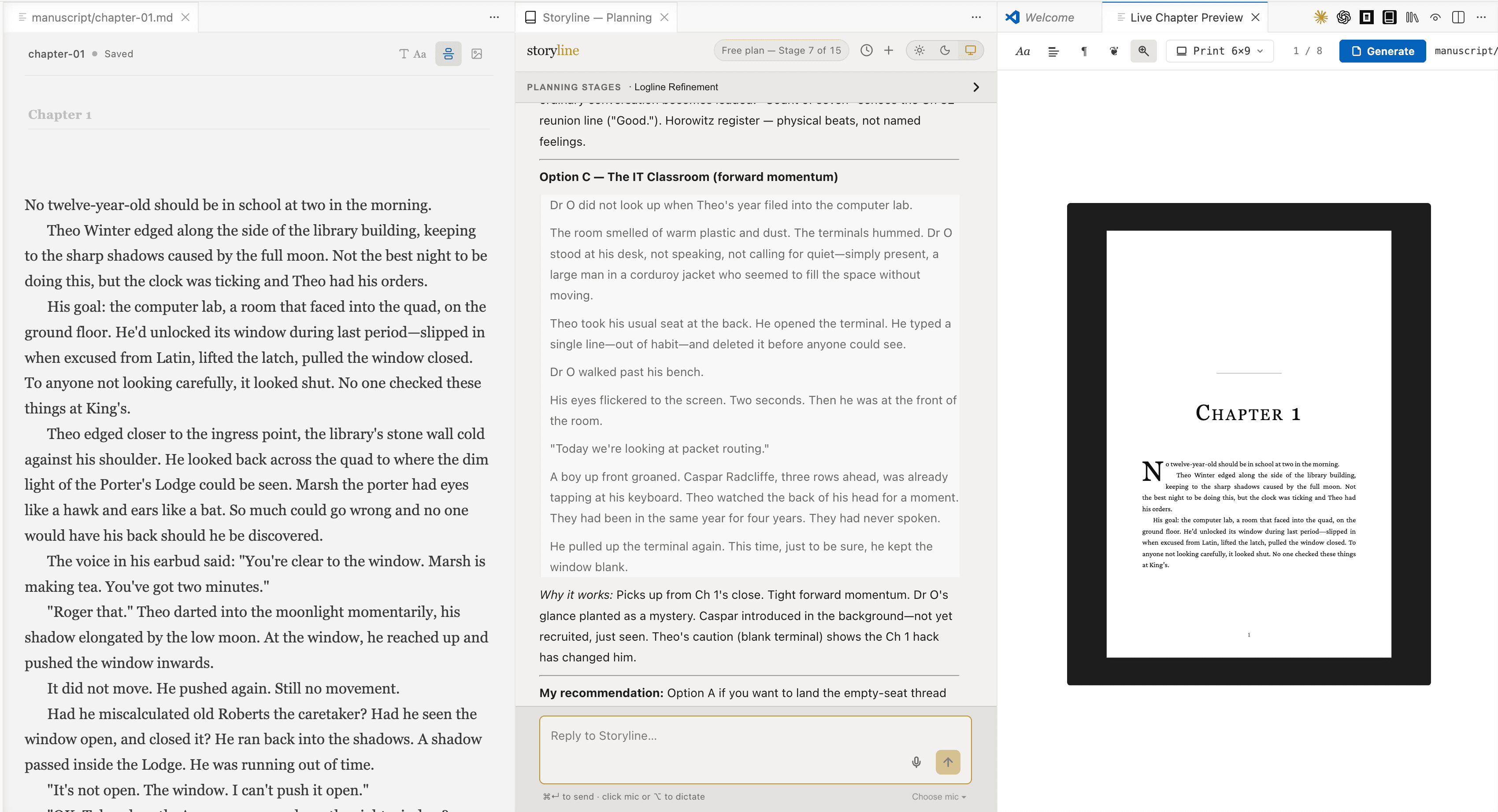
Conversational planning with an AI partner trained on Save the Cat for fiction, and structured frameworks for memoir, how-to, history, textbooks, study guides and other non-fiction.
Plan your book. Write your story.
Plan with proven structure, draft in a distraction-free editor, generate covers and interior images, and compile to professional EPUB and PDF. Two ways to start today: install the full editor (runs inside Visual Studio Code) or open the browser preview — no install.
Choose your system to download:
The complete Storyline editor. Runs inside Visual Studio Code(installed automatically if you don’t have it). Mac & Windows. Files live on your computer; nothing leaves the machine unless you choose. Standalone desktop app is in progress — see the browser preview meanwhile.
Not sure which Mac you have? Click the Apple menu → About This Mac. If it lists an M1, M2, M3 or M4 chip, choose Apple Silicon.
Free first plan, no card. Your files stay on this device.
Planning chat, rich-text editor, covers, illustrations and EPUB compile already work. Live typeset preview, GitHub sync and semantic memory are still being ported from the VS Code editor — install the full editor for those today.
On Chrome or Edge you can point Storyline at a folder on your computer so your .md files show up in Finder directly.
Most writers juggle four or five tools — a planning doc, a writing app, an image generator, an EPUB converter. Storyline replaces all of them with one environment built around the way books are actually made.
Conversational planning with an AI partner trained on Save the Cat for fiction, and structured frameworks for memoir, how-to, history, textbooks, study guides and other non-fiction.
Draft chapters in a distraction-free rich editor. Files stay as plain markdown on your disk — yours forever.
Generate book covers and interior illustrations with AI, styled to match your story or subject.
Export a professional-grade EPUB or print-ready PDF, with live preview as paperback, iPad and Kindle.
Whether you’re writing a novel, a memoir, a how-to, narrative non-fiction, a textbook or a study guide, Storyline gives you a structured planning conversation matched to your form — never a blank template.
Markdown on disk, rich-text experience on screen. Your prose lives in plain files you own forever, edited through an interface designed for long-form writing — fiction or non-fiction.
Generate the visual layer of your book inside the same workspace where you plan and write — covers, chapter art, diagrams, character portraits — all grounded in the work you’ve already defined.
When the manuscript is done, Storyline assembles a publish-ready book — front matter, table of contents, chapter breaks, illustrations, cover — and outputs the formats you need.
No exporting an outline from one app and pasting it into another. The plan is right next to the draft, always.
Storyline’s AI helps with structure and critique. It never reads your chapter prose, and never trains on it.
Your manuscript is plain markdown on your disk. If you ever leave Storyline, every word goes with you.
Plan an entire book with AI on the free plan — no card required. Image generation, EPUB compilation and additional book plans use a simple pay-as-you-go credit pack.
Free download, free first plan. No subscription.
Choose your system to download:
The complete Storyline editor. Runs inside Visual Studio Code(installed automatically if you don’t have it). Mac & Windows. Files live on your computer; nothing leaves the machine unless you choose. Standalone desktop app is in progress — see the browser preview meanwhile.
Not sure which Mac you have? Click the Apple menu → About This Mac. If it lists an M1, M2, M3 or M4 chip, choose Apple Silicon.
Free first plan, no card. Your files stay on this device.
Planning chat, rich-text editor, covers, illustrations and EPUB compile already work. Live typeset preview, GitHub sync and semantic memory are still being ported from the VS Code editor — install the full editor for those today.
On Chrome or Edge you can point Storyline at a folder on your computer so your .md files show up in Finder directly.
By downloading you accept our Terms and Privacy Policy. Need help? Email darren@coxon.ai.